
Your Team Spends Hours on Tasks AI Does in Minutes.
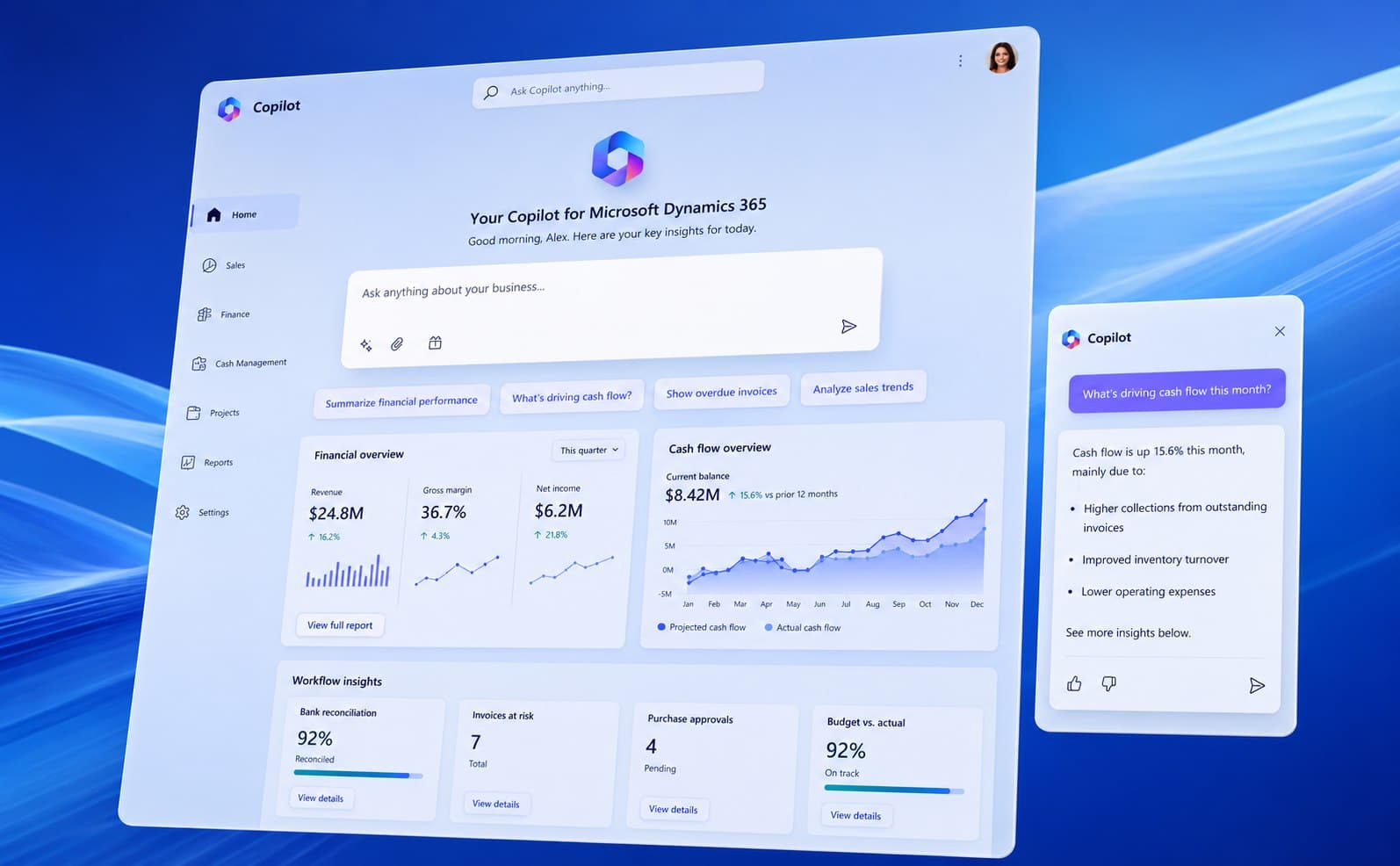
Microsoft Copilot in Dynamics 365 Business Central automates bank reconciliation, predicts cash flow, and answers business questions in plain English — directly inside your ERP. We make sure it actually works for your business, not just demos well.
70%
Of Copilot users say they're more productive
29%
Faster on writing, searching & summarizing
Microsoft
Solutions Partner
85%
Get to a good first draft faster
Sound familiar?
Sound Familiar?
Most mid-market finance teams are drowning in manual work that AI could handle — but they don't know where to start.
Bank rec takes days, not hours
Your team spends 2–3 days every month manually matching transactions and hunting for discrepancies. That's time they could spend on analysis.
Cash flow surprises keep happening
You find out about payment delays after they hit your cash position. By then, you're scrambling to cover gaps instead of planning ahead.
Reporting means exporting to Excel
Getting a simple answer — 'How did Q3 margins compare to Q2?' — requires pulling data into spreadsheets and building reports from scratch.
AI hype, no clear starting point
Everyone's talking about AI, but your team doesn't know which features are real, which are vaporware, and where to invest first.
The platform
What Copilot Actually Does in Business Central
Copilot isn't a separate product you buy and hope works. It's built into Business Central — sitting inside the screens your team already uses, automating the tasks they already hate.
Ask Your Data Questions
Type a question in plain English — 'What are my top 10 overdue invoices?' — and get an instant answer. No report building required.
Predict Late Payments
AI flags which invoices are likely to be paid late so you can follow up before it hits cash flow — not after.
Automate Bank Reconciliation
Copilot matches transactions and suggests journal entries. What took days now takes minutes.
Forecast Inventory Demand
AI-driven reorder points, seasonal pattern detection, and stock-out alerts so you stop guessing and start planning.
Speed Up Order Entry
Copilot suggests line items from past orders based on customer history, cutting order entry time and reducing errors.
Generate Marketing Copy
Auto-create product descriptions from your item data. Good enough to ship, in seconds instead of hours.
Core capabilities
Copilot Features We Implement
We start with the features that save the most time and expand from there. No big-bang rollouts — just phased wins.
Chat & Analysis
Ask questions about your business data in natural language. Copilot analyzes your ledgers, customers, vendors, and orders in real time and delivers answers — no report builder required.
Outcomes
Results That Show Up in the Numbers
These aren't hypothetical. They're the outcomes Qixas clients see after a properly implemented Copilot rollout.
Faster bank reconciliation
From 2–3 days to under half a day
Fewer late payment surprises
AI flags risks weeks before they hit cash flow
Faster ad-hoc reporting
Ask a question, get an answer — no Excel required
Less manual data entry
Sales line suggestions and automated matching
Why Qixas
Why Qixas for Copilot
AI adoption isn't about buying technology — it's about solving real problems. We help you figure out where Copilot saves time, implement it correctly, and prove the ROI.
Use-case first: We identify where AI saves hours or surfaces insights before we touch a single setting — not after
Data quality comes first: Dirty data breaks AI accuracy. We assess and fix data issues before rolling out Copilot, so recommendations are trustworthy from day one
Change management built in: Your team needs to trust AI before they'll use it. We address skepticism and workflow concerns upfront, not as an afterthought
Phased rollout, fast wins: We start with high-impact features (bank rec, cash flow) and expand from there. You see value in weeks, not quarters
Security and governance: Audit trails, data access controls, and compliance guardrails so your AI adoption is as secure as the rest of your ERP
ROI tracking from day one: We define success metrics upfront — reconciliation time, forecast accuracy, order entry speed — and measure them throughout
Client stories
What Our Clients Say

70%
Faster month-end reconciliation
Qixas didn't just turn on Copilot and walk away. They identified where AI would save our finance team time, cleaned up the data issues, and trained our people. Bank rec went from 3 days to half a day.
Controller
Mid-market manufacturing company, Ontario
Ready to see what Copilot can do for your team?
Explore more
Related Services
FAQ
Frequently Asked Questions, Answered
Do we need the latest version of Business Central for Copilot?
Is our data safe with Copilot?
What if our data quality is poor?
Will Copilot replace our team?
How long does implementation take?
Find Out Where AI Saves Your Team the Most Time
Get a free AI readiness assessment. We evaluate your data, identify high-impact Copilot use cases, and build a phased roadmap — no commitment required.