
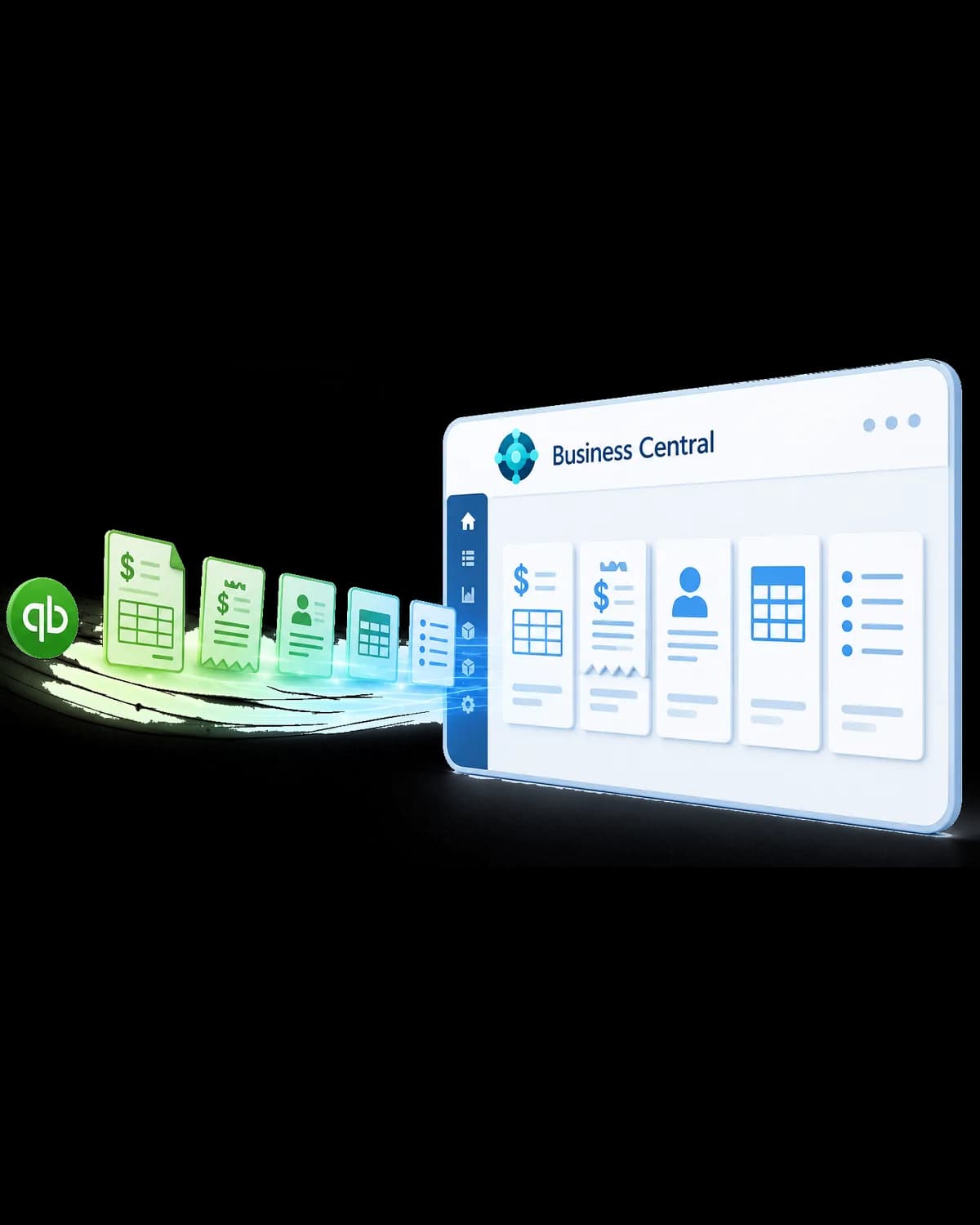
The QuickBooks migration app that brings your history with you.
Most tools leave years of transactions stranded in QuickBooks. Our purpose-built migration app moves your historical transactions into Microsoft Dynamics 365 Business Central and re-establishes them there — so you land on an AI-ready ERP with Copilot built in, and never log back into QuickBooks for a lookup.
Full
Transaction history migrated
AI-ready
Copilot on day one
Retire
QuickBooks for good
Is it time to move?
Signs you've outgrown QuickBooks
QuickBooks is a great place to start. But once your team spends more time working around it than working in it, the workarounds cost more than the move. If these sound familiar, you're ready for Business Central.
On QuickBooks
Inventory, costing, and warehousing live in spreadsheets because QuickBooks can't really handle them.
With Business Central
Native inventory, multiple locations, and landed costs tracked right in the ledger.
On QuickBooks
You consolidate multiple companies or entities by hand at every month-end.
With Business Central
True multi-entity accounting with automated intercompany and consolidation.
On QuickBooks
Reporting means exporting to Excel — you can't slice results by department, project, or location.
With Business Central
Dimensions plus built-in Power BI let you analyze any way you need, no exports required.
On QuickBooks
You're bumping into user, list, or file-size limits and performance is dragging.
With Business Central
Enterprise-grade scale with role-based access for your whole team.
On QuickBooks
Approvals and audit trails are manual, so controls and compliance are hard to prove.
With Business Central
Built-in approval workflows and a complete, tamper-evident audit trail.
On QuickBooks
There's no automation or AI — every invoice, reconciliation, and report is done by hand.
With Business Central
Copilot drafts documents, suggests reconciliations, and answers questions in plain language.
What we do
What a QuickBooks → Business Central move involves
This is more than exporting a chart of accounts. It's an honest readiness check, a clean data move that keeps your history, a plan for the tools bolted onto QuickBooks, and a cutover your team barely feels — landing you on a modern, AI-forward ERP.
Discovery & Readiness
We map your QuickBooks setup, lists, workflows, and the spreadsheets and add-ons around it to build a realistic migration path.
History-Complete Data Migration
Customers, vendors, and financials move across — plus years of historical transactions, not just opening balances, via our purpose-built app.
Chart of Accounts & Dimensions
Your accounts, classes, and locations are re-modeled into Business Central's dimension structure so reporting gets richer, not harder.
Add-on & Integration Mapping
Payroll, payments, e-commerce, and reporting tools mapped to native Business Central or modern AppSource equivalents.
AI & Copilot Enablement
We turn on Copilot in Business Central and prepare your data so AI can draft, reconcile, and surface insight from day one.
Testing & Parallel Running
End-to-end testing and reconciliation, with old and new run side by side so you cut over with total confidence and a rollback path.
Outgrown
QuickBooks
Siloed history · limited reporting · scaling limits
Cloud ERP
Business Central
AI-ready · Copilot built in · fully supported
From a starter ledger to an AI-ready ERP
- Years of historical transactions preserved — not just balances
- Copilot in Business Central enabled and configured
- Automated reconciliation so the numbers provably tie out
- A documented rollback plan for total peace of mind
Challenges & solutions
The hard parts — and how we handle them
Fear of losing history — years of invoices, payments, and customer activity feel too valuable to leave behind, but too risky to move.
Our purpose-built migration app brings historical transactions into Business Central and reconciles them, so nothing is stranded and the numbers provably tie out.
"We'll have to keep QuickBooks running just to look things up" — paying for and maintaining a legacy system indefinitely.
Because the history lives in Business Central, you can fully retire QuickBooks instead of keeping it on life support for lookups.
Your team knows QuickBooks inside out, and you're worried Business Central will slow everyone down at first.
We configure familiar workflows, rebuild the reports people rely on, and run role-based training so your team is productive quickly — with Copilot smoothing the learning curve.
Disruption during cutover — the fear of downtime and a chaotic switch landing at the worst possible time.
Parallel running, a cutover planned around your quiet periods, and a tested rollback plan mean the switch is controlled and reversible.
Rebuild years of transactions — not just closing balances
Your financial history is a business asset — so we built a tool that treats it like one. Rather than dropping in closing balances and calling it done, the app rebuilds your prior transactions inside Business Central, tied to the right customers and accounts, so every record stays queryable in your new system.
Historical transactions, not just balances
Prior invoices, payments, and customer activity move into Business Central and live there natively — fully queryable, not archived away.
Retire QuickBooks for good
Because the history comes with you, there's no reason to keep paying for and maintaining QuickBooks just for lookups.
Continuity for every team
Finance, reporting, and customer service keep the context they rely on — previous activity, transaction detail, and financial history in one place.
A complete view from day one
You start on Business Central with the full picture of the business, ready for analysis, reporting, and trend comparison across years.
Because your history now lives inside Business Central, it becomes AI-ready: Copilot and Power BI can analyze prior-year activity, spot trends, and answer questions across your full financial record — something QuickBooks could never do.
Why implementations fail
The costliest mistakes in a QuickBooks migration
Most migration pain isn't technical — it's strategic. These are the missteps that turn a routine move into months of missing context and lost trust, and the ones we plan around from day one.
Migrating balances only and abandoning history
Most tools move current balances and master records, then declare victory. Years of transaction detail get left behind in QuickBooks — so you either keep paying for a legacy system or lose the context your finance and service teams depend on.
Treating a QuickBooks export as a finished migration
A raw export isn't a controlled finance transition. Without careful chart-of-accounts and dimension modeling, opening balances don't reconcile and reporting comes out worse than QuickBooks — eroding confidence in the new system on week one.
Landing on a modern ERP but ignoring its AI
Business Central ships with Copilot and deep Power BI and Fabric integration. Migrations that don't switch on and prepare data for those capabilities leave the single biggest reason to move — an AI-ready finance platform — sitting unused.

How Qixas is different
Designed for continuity — and built for AI
Every step engineered to protect your history, reduce risk, and land you on a platform that's ready for what's next.
A migration app that preserves history
Our proprietary QuickBooks Migration App re-establishes years of historical transactions inside Business Central — a capability off-the-shelf tools simply don't have.
Finance-led migration with reconciliation gates
Trial runs with automated reconciliation ensure opening balances and history provably tie out before anyone depends on the new system.
AI-forward by default
We enable Copilot in Business Central and structure your data so AI can draft documents, assist reconciliation, and answer questions across your full financial history.
20+ years of Dynamics expertise
We've moved hundreds of companies onto Business Central. We know how to land a clean, upgradeable, AI-ready system — not a lift-and-shift that carries old problems forward.
Get started
Get a clear, week-by-week path off QuickBooks
Start with a free migration readiness review. We'll map your QuickBooks setup, show exactly how your history comes across, and give you a realistic timeline and budget — before any commitment.
What's included
- QuickBooks setup, list, and add-on inventory
- A plan for bringing historical transactions across
- Chart-of-accounts to dimension mapping review
- Copilot and Power BI readiness for your data
- A Business Central licensing and total-cost-of-ownership estimate
- A realistic, phased timeline and fixed-fee project range
Trusted by leading organizations across North America












Why Qixas
20+ years of Dynamics. One focused team.
0+
Years in business
0+
Dynamics clients served
0%
Faster report generation
Microsoft
Cloud Solutions Partner
“We finally moved off QuickBooks without losing a single year of history — and our team could answer customer questions from day one.”
FAQ
Frequently Asked Questions, Answered
Will we lose our QuickBooks history when we move?
Exactly what data comes across from QuickBooks?
Do you migrate from QuickBooks Desktop and Online?
Can we finally retire QuickBooks completely?
How does AI and Copilot fit into this?


Move up from QuickBooks — without losing what matters
Get a free migration readiness review. We'll show you exactly how your history comes across and build a phased plan that lands you on an AI-ready Business Central.